

Tool Guides
Free tool: Click to Chat Link Generator
WhatsApp Click to Chat: Message Any Number Without Saving It
Click to chat lets you open a WhatsApp chat with any number without saving it. Learn the wa.me link, fix common mistakes and make a link for your own number.
Author
Bytelify Team
Published
Reading time
5 min
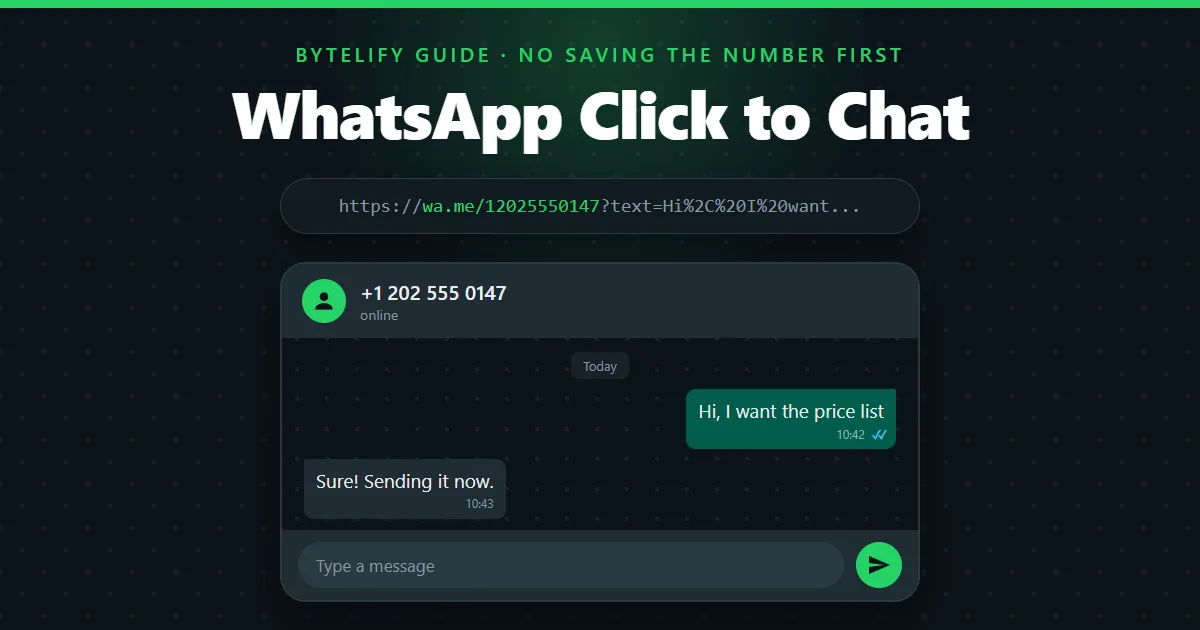
Nothing is sent until they press send
Type a number with its country code. The link builds as you type.
Tap the link, WhatsApp opens your chat, the message is ready to send.
Click to chat is WhatsApp’s way of opening a chat with any number, without saving it to your contacts first. You can use it to message a stranger once, or to give customers a link that opens a chat with you. This post covers both, and the wa.me format behind them. It is Part 1 of a short series on getting customers to message you.
The short version
- To message a number without saving it, open
https://wa.me/plus the full number, digits only.- Add
?text=and a message to pre-fill the chat box.- To share your own number, make the link once and test it on a real phone.
Words You Need First
- Click to chat: WhatsApp’s name for a link that opens a chat when tapped.
- International format: the country code followed by the number, such as 91 for India and 1 for the US.
- URL encoding: a way to write spaces and symbols safely inside a link. A space becomes
%20.
How to Message Someone Without Saving Their Number
- Write their number with the country code and no plus sign, such as 919876543210.
- Type
https://wa.me/919876543210into your phone or computer browser. - WhatsApp opens a chat with them. On a computer it opens WhatsApp Web, which WhatsApp says click to chat supports.
The Click to Chat generator does the formatting for you if you paste the number with spaces or a plus sign.
What Is a WhatsApp Click to Chat Link?
It is a normal web address. When someone taps it, WhatsApp opens a chat with your number. WhatsApp’s own help page says it works as long as you know the person’s phone number and they have an active WhatsApp account. It works on a phone and on WhatsApp Web.
You do not need the WhatsApp Business app or any paid plan to make one.
The wa.me Link Format
WhatsApp’s help page gives the format as https://wa.me/<number>, where the number is a full phone number in international format. It says to omit any zeroes, brackets or dashes.
| Part | Example | Note |
|---|---|---|
| Base | https://wa.me/ |
Always the same |
| Number | 919876543210 |
Country code first, digits only |
| Message | ?text=Hi%20there |
Optional, URL encoded |
So the Indian number +91 98765 43210 becomes https://wa.me/919876543210.
How to Create a WhatsApp Link in 3 Steps
The fastest way is the Click to Chat link generator. It runs in your browser, so your number and message are not sent to a server.
- Pick your country and type your number. You can also paste a full number that starts with a plus sign, and the country is picked for you.
- Type the message you want pre-filled. The preview shows the chat as the person will see it.
- Copy the link, or copy the HTML button if you want it on a website.
Here is what you get for the number above and the message “Hi, I want the price list”:
https://wa.me/919876543210?text=Hi%2C%20I%20want%20the%20price%20list
How to Add a Pre-filled Message
Everything after ?text= is your message with spaces and symbols encoded. Spaces become %20 and line breaks become %0A. The official example is https://wa.me/1XXXXXXXXXX?text=I'm%20interested%20in%20your%20car%20for%20sale.
The message is only typed into the chat box. The person can edit it and must press send. Nothing is sent for them.
Writing the encoding by hand is where people slip. One popular guide shows a link with a bare percent sign, such as More%info%about, which decodes wrongly. A generator does the encoding for you, so it cannot go wrong that way.
Emoji in the Message
If your message has an emoji, we found that the wa.me form can show it as a broken character. The generator then switches to the api.whatsapp.com/send form, which keeps the emoji. WhatsApp’s help page does not mention this, so test an emoji link on your own phone first.
Why Your WhatsApp Link Is Not Working
- A plus sign in the number.
wa.me/+919876543210is wrong. Usewa.me/919876543210. - A leading zero. A UK number written 07700 900123 must become 447700900123. Drop the zero and add 44.
- No country code. Without it, the link points at the wrong number or none.
- A number not on WhatsApp. The link needs an active WhatsApp account behind the number.
- Dashes, spaces or brackets. Remove them all.
A Link Without a Number
Leave the number out and write https://wa.me/?text=Your%20message. WhatsApp says the person then sees a list of contacts to send the message to. Use it for a share button on a blog or a product page.
Where to Use Your Link
- Social bios: Instagram, YouTube and LinkedIn each allow one link, so make it the chat link.
- Websites: use the HTML button. WhatsApp’s help page offers an official green “Chat on WhatsApp” button in three sizes, with
aria-label="Chat on WhatsApp"on the link. - Email signatures and invoices: a tap beats typing a number.
- Print: turn the link into a QR code with the WhatsApp QR code generator.
Tips for More Chats
- Write the first message for them, such as “Hi, I would like the price list”.
- End the message with where they came from, like “(from Instagram)”, so you can tell channels apart.
- Use a business number in public.
Remember: a link to a personal number gives you no click counts. WhatsApp does not report them for wa.me links. If you need to measure clicks, put a short link with click tracking in front of it.
Next in this series: how to turn your link into a QR code for posters and shop windows.
Key Takeaways
A click to chat link is just a web address.
It opens a WhatsApp chat with your number. The person does not need to save your number first.
The format is wa.me, then the number, then an optional message.
https://wa.me/919876543210 is a complete link. Add ?text= and your message to pre-fill the chat box.
Most broken links have a bad number.
A plus sign, a leading zero or a missing country code is the usual cause. Use digits only, country code first.
A pre-filled message is not sent for the person.
It only appears in the chat box. They still have to press send.
A link without a number works as a share button.
wa.me/?text= opens WhatsApp and lets the person pick who gets your message.